





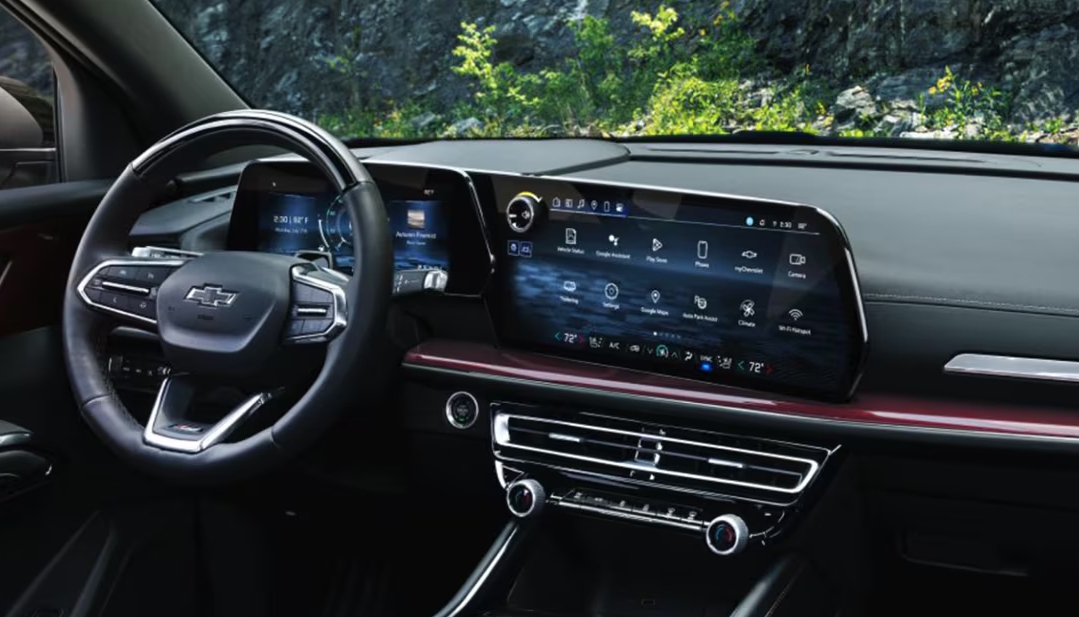
A Chevy infotainment screen may stop working due to software glitches, power interruptions, or connection issues. In many cases, a quick system reset, fuse check, or software update can restore your display and bring your favorite apps, music, and navigation tools back to life. Understanding what causes a Chevy infotainment screen to go black, freeze, or fail to respond can help you troubleshoot effectively before scheduling professional service.
At Gerry Raymond Chevrolet of Fairmont, we’re here to help keep your vehicle running and connected at its best. Our team proudly serves drivers throughout Fairmont, Grafton, Bridgeport, and Clarksburg with expert sales, dependable service, genuine Chevy parts, and trusted repair solutions. Whether your Chevy Tahoe, Colorado, or Equinox needs an infotainment system diagnosis or routine maintenance, contact us today to schedule your visit or speak with a certified technician.
Common Reasons a Chevy Infotainment Screen Fails
The Chevy infotainment screen is designed to keep drivers connected, but sometimes it may stop working without warning. This issue can show up as a blank display, frozen screen, or system that won’t respond to touch. In most cases, the cause is simple a small glitch, loose power connection, or minor software fault. These problems are more common in newer models like the Chevy Tahoe, which rely on advanced digital systems and connected vehicle technology. Knowing what triggers the issue is the first step toward getting it working again.
Common reasons a Chevy infotainment screen may stop working include:
- Software glitches that cause the system to freeze or crash.
- Power issues such as a weak battery or faulty fuse.
- Loose cable connections behind the dashboard.
- Outdated software that needs an update.
- Overloaded memory from saved apps or paired devices.
In most cases, these issues do not mean your system is broken. A quick reset or update can often bring the infotainment screen back to life. Taking a few minutes to troubleshoot can help you avoid a trip to the service center and keep your Tahoe’s tech working the way it should.
What Causes a Chevy Infotainment Screen to Go Black or Freeze?
A Chevy infotainment screen black display or a frozen system can be frustrating, especially when you rely on it for navigation or music. These problems are often caused by minor issues that can be fixed without replacing the screen. In models like the Chevy Colorado, which use advanced digital systems, even small glitches can make the display unresponsive. Understanding the main causes helps you know which troubleshooting step to try first.
Common causes of a Chevy infotainment screen going black or freezing include:
- Software glitches from system errors or failed updates.
- Power interruptions caused by a weak battery or blown fuse.
- Overloaded memory from too many saved apps or paired devices.
- Loose connections behind the dashboard or to USB ports.
- Screen settings, such as dimmed brightness make the display appear black.
Most of these issues are easy to fix with a reset, minor adjustments, or updates. Checking for simple causes first can restore your Colorado’s infotainment system without professional help.
How Do You Perform a Soft Reset on a Chevy Infotainment System?
When a Chevy infotainment screen not working freezes or fails to respond, a soft reset is often the fastest fix. This simple step can clear minor glitches and get your system running again. For drivers of the Chevy Equinox, a reset usually solves temporary software issues without any tools.
Steps to perform a soft reset:
- Press and hold the Power/Volume knob for 10–15 seconds until the screen restarts.
- On some models, hold the End Call button on the steering wheel for 10 seconds.
- Release the button when the screen turns off and restarts.
- Wait a few moments for the system to fully boot.
A soft reset is safe and usually fixes most small errors. If the screen still won’t respond, additional troubleshooting may be needed.
Can Turning the Vehicle Off and On Fix the Infotainment System?
Sometimes a Chevy infotainment screen frozen is caused by temporary electrical or software issues. Restarting the vehicle can fully reset the system and restore normal function. Drivers of the Chevy Tahoe often find this step resolves simple freezes without any tools.
How to restart the system:
- Turn off the ignition and open the driver’s door.
- Wait about one minute to let all systems shut down.
- Close the door and restart the vehicle.
- Check if the screen responds to touch and displays correctly.
This method is quick and requires no technical knowledge. It often works when the system freezes during driving or startup.
Could a Blown Fuse Cause the Chevy Infotainment Screen to Stop Working?
Electrical issues can prevent a Chevy infotainment system from powering on or functioning properly. In models like the Chevy Colorado, a blown fuse is a common cause of screen failures.
Steps to check fuses safely:
- Locate the fuse box (usually under the dash or hood).
- Find the fuse labeled Infotainment, Radio, or Display.
- Inspect the fuse for a broken wire or burnt marks.
- Replace with a fuse of the same amperage if it’s blown.
Checking fuses is simple and can restore power quickly. It also prevents unnecessary trips to a service center for minor problems.
What If the Chevy Infotainment Screen Connections Are Loose?
Loose connections can cause a Chevy infotainment system not working or showing intermittent problems. This can happen in vehicles like the Chevy Tahoe, especially if the dashboard or center console has been recently serviced.
Steps to check connections:
- Ensure all USB and device cables are securely connected.
- If comfortable, check behind the dashboard for loose wiring harnesses.
- Avoid forcing connectors; make sure they click into place properly.
- For complex checks, visit a certified technician for help.
Loose connections may cause flickering, freezes, or total screen failure. Securing them often restores full functionality to your Tahoe’s infotainment display.
Do Software Updates Fix Chevy Infotainment System Problems?
Outdated software can create errors on a Chevy infotainment screen, including crashes or slow performance. Vehicles like the Chevy Equinox rely on regular updates to keep the system stable and compatible with new apps and devices.
Steps to manage updates:
- Access the infotainment menu → Settings → Software → Update.
- Follow on-screen prompts to download and install updates.
- Some systems update automatically via Wi-Fi, while others may require a dealer visit.
- After updating, restart the vehicle and check screen performance.
Keeping your software current fixes many common problems and improves system speed. Updates can prevent freezes, black screens, and other malfunctions.
When Should You Seek Professional Help for an Infotainment Issue?
If your Chevy infotainment screen black persists despite resets or troubleshooting, it may be time to see a technician. More serious issues can involve the display unit, wiring, or the head unit itself. In the Chevy Colorado, these problems are rare but can prevent the system from working entirely.
Signs you should seek professional help:
- The screen stays black or frozen after multiple resets.
- Navigation, Bluetooth, or audio functions do not respond.
- The system restarts randomly or shuts down mid-drive.
- Error messages or warning lights appear related to the infotainment system.
A certified technician can diagnose and fix the problem safely. Early attention often prevents bigger issues and keeps your Colorado’s infotainment system functioning properly.
How Can You Prevent Future Chevy Infotainment System Problems?
Maintaining your Chevy infotainment system can save time and stress. Taking simple steps helps your Equinox or Tahoe stay connected and responsive for years.
Tips to prevent future issues:
- Keep software updated regularly through the settings menu or dealer service.
- Use good-quality USB cables and avoid damaged devices.
- Clear unused apps, files, or old navigation data.
- Restart the system occasionally to refresh memory and performance.
Routine care reduces freezes, black screens, and crashes. Preventive maintenance keeps your Tahoe’s infotainment system smooth and reliable.
Common Questions About Chevy Infotainment System Problems
When your Chevy’s infotainment screen stops working, it can interrupt your drive and make simple tasks more difficult. Below are straightforward answers to the most common questions drivers ask when facing screen, reset, or update issues.
Why is my Chevy screen not working?
A Chevy screen may stop working due to a software glitch, loose connection, or weak battery. In some cases, a system update or a simple reset can fix the problem.
How to reset Chevy infotainment system?
To reset most Chevy infotainment systems, hold down the Home and Fast Forward buttons together for about 10 seconds. The screen will go black and restart automatically.
Do I need to go to a dealership to update my Chevy’s software or can I do it myself?
Many newer Chevy models allow software updates over the air through the infotainment system’s settings. However, if the update fails or the system is unresponsive, a dealership technician should complete the update to ensure it installs correctly.
How to update Chevy infotainment system?
Go to Settings > System > Software Information > Update on your infotainment screen. If an update is available, follow the prompts. For older systems, updates may only be available through a certified Chevrolet service center.
Visit Gerry Raymond Chevrolet of Fairmont
If your Chevy infotainment screen is not working, our certified team at Gerry Raymond Chevrolet of Fairmont is here to help. We can inspect your system, perform needed updates, and get your screen working like new again. Drivers from Grafton, Clarksburg, and Bridgeport are welcome to visit us for trusted service and a wide selection of vehicles, including the Tahoe, Colorado, and Equinox.
Our staff is ready to answer your questions, explain repair options, and schedule service at a time that fits your day. Whether you’re looking to fix a screen issue or explore a new vehicle, we’re here to make every step easy.
While you’re here, continue exploring more Chevy resources that can help you keep your vehicle running strong. You can learn about the best Silverado trims, review Silverado engine options, or read how to fix engine power problems. Each guide offers practical advice to help you stay confident on the road.
Get Directions to Gerry Raymond Chevrolet of Fairmont
Disclaimer: All information is provided for general informational and entertainment purposes only. While we strive for accuracy, we cannot guarantee that all content is complete, current, or error-free. Any reliance you place on such information is strictly at your own risk. This article may include opinions and is not endorsed by, or officially affiliated with, any vehicle manufacturer or brand. Always consult official sources – such as the vehicle’s owner’s manual, authorized dealerships, or certified professionals – for the most up-to-date and personalized information.
Connect with us

- July 2026
- June 2026
- March 2026
- February 2026
- January 2026
- December 2025
- November 2025
- October 2025
- September 2025
- August 2025
- July 2025
- June 2025
- May 2025
- February 2025
- January 2025
- December 2024
- November 2024
- September 2024
- August 2024
- July 2024
- June 2024
- May 2024
- April 2024
- March 2024
- February 2024
- January 2024
- December 2023