





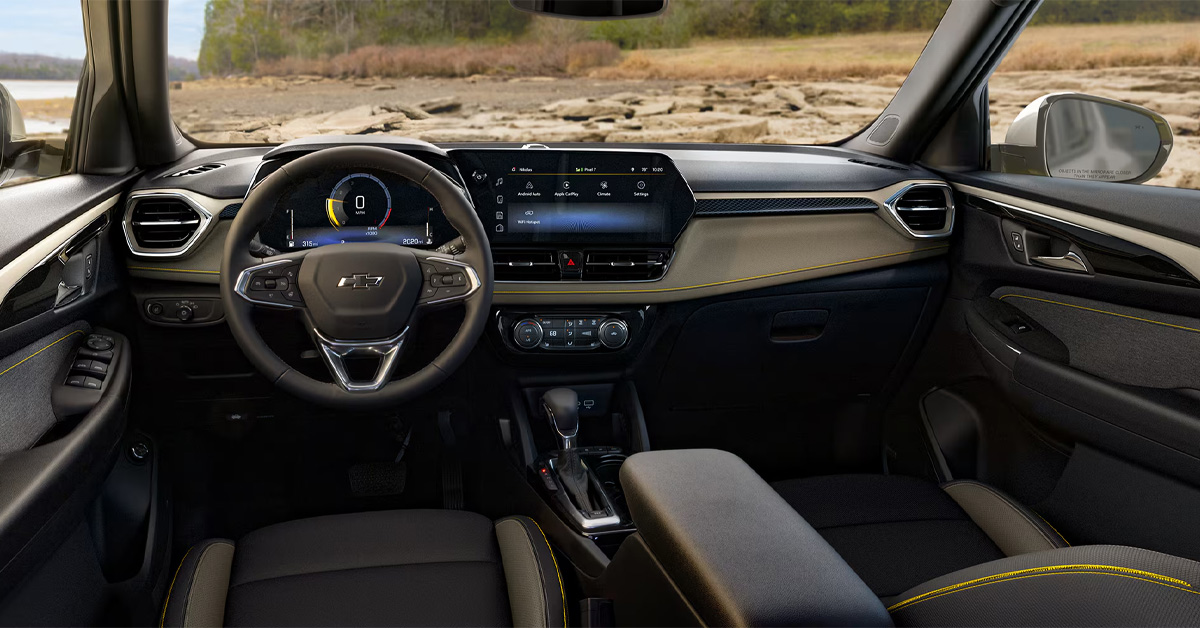
A frozen Chevy touchscreen does not always mean a major problem. If your Chevrolet infotainment system stops responding, the first step is identifying whether you are dealing with a temporary software freeze, a display issue, or a recurring system problem, then working through practical troubleshooting checks before deciding if professional service is needed.
At Gerry Raymond Chevrolet of Fairmont, we are here to help with everything from finding your next Chevy to service, parts, and convenient financing options that fit your needs. Whether your Silverado 1500, Trailblazer, or Trax needs attention, our team is ready to assist, so visit our dealership or contact us today.
Why Is My Chevy Touchscreen Frozen?
A frozen touchscreen can show up in a few frustrating ways. Maybe the display stays stuck on one screen, ignores taps, or keeps audio playing while the controls stop responding. For drivers searching for a Chevy touchscreen frozen fix in 2026, the cause is not always the same.
Sometimes the issue is a temporary software hiccup during startup. In vehicles with larger infotainment interfaces like the Silverado 1500, where the touchscreen may be handling navigation, media, connected apps, or camera views, a momentary system freeze can feel especially noticeable.
Other times, the problem may be tied to a connection conflict, delayed system loading, or a display-specific malfunction rather than a full infotainment failure. A Trailblazer owner using wireless smartphone integration might experience a different symptom than someone in a Trax simply trying to switch audio sources.
The key first step is recognizing what actually froze, the screen itself, touch response, or the broader infotainment system.
How Do You Reset a Chevy Touchscreen System?
If your Chevrolet infotainment not responding issue appears to be a temporary freeze, try these steps:
- Put your vehicle in PARK: Make sure the vehicle is safely stationary before attempting a system reset.
- Perform a system reboot (for applicable Chevrolet models with Google built-in): Press and hold the steering wheel END CALL button for about 20 seconds until the center display shuts off and begins restarting.
- Wait for the touchscreen to fully reload: Do not repeatedly press controls while the system is rebooting. Let the infotainment system complete its startup cycle.
- Try a full vehicle restart if the issue happened during phone connectivity: Turn the vehicle off completely, restart it, then reconnect your smartphone if the freeze happened while using connected features.
A Trailblazer driver using wireless smartphone integration, for example, may run into a temporary connection hiccup rather than a lasting system issue. If the touchscreen works normally after these steps, the interruption may have been isolated. If freezing becomes a pattern, the problem likely needs deeper diagnosis.
What Else Can Cause Chevrolet Infotainment Not Responding?
If you already tried to reset the Chevy touchscreen system and the issue keeps coming back, the freeze may be tied to what the system was doing when it happened.
A few possibilities include:
- Wireless connection conflicts: If the infotainment system is actively communicating with a smartphone, interruptions can create lag or temporary lockups.
- App loading delays: Navigation, media, or connected applications may take longer to initialize, especially right after startup.
- Partial system freezes: Sometimes the touchscreen becomes unresponsive while other functions continue working in the background.
- Display-specific issues: A visible screen does not always mean the touch function itself is responding correctly.
For example, a Trax driver switching between smartphone audio and vehicle controls might experience a different issue than someone dealing with a frozen home screen.
Patterns matter. If the problem only happens during one specific action, that clue can help narrow down whether you are dealing with a connection hiccup, software slowdown, or a broader infotainment fault.
When Is a Frozen Chevy Screen a Display Issue Instead of a Software Freeze?
Not every frozen screen means the entire infotainment system has stopped working. Good Chevy display glitch troubleshooting starts with one simple question: Is the system dead, or is only the screen failing to respond?
Watch for the symptoms:
- Audio keeps playing, but touch controls do nothing: This may suggest the system is still running behind the scenes.
- Navigation appears frozen, but other functions respond: That can point to a single app or interface issue.
- The display goes black entirely: This may feel different from a simple touchscreen lockup.
- The issue comes and goes unpredictably: Intermittent behavior can look very different from a full freeze.
In a Silverado 1500, this distinction matters because the touchscreen can be central to multiple in-vehicle functions. A driver backing out with camera views active, for example, may notice immediately whether the problem is a frozen display image or a broader system interruption.
The exact symptom tells a much clearer story than the word “frozen” alone.
What Should You Check Before Scheduling Service?
Before trying to fix frozen Chevy infotainment screen issues through service, pay attention to the pattern. Small details can make diagnosis much easier.
Check these first:
- Does it happen every time you start the vehicle, or only occasionally?
- Does it happen only when your phone is connected?
- Is the touchscreen frozen, but audio still working?
- Does the issue happen while using navigation, media, or switching screens?
- Does restarting the vehicle temporarily solve it?
For example, if a Trailblazer freezes only when reconnecting a smartphone, that tells a very different story than a screen that locks up the moment the vehicle starts.
Timing matters too. A one-time glitch during a rushed morning commute is not the same as a repeated problem over several days.
The more specific the pattern, the easier it becomes to separate an isolated interruption from a persistent infotainment issue that needs professional attention.
When Should a Frozen Chevy Infotainment Screen Be Professionally Diagnosed?
A one-time freeze can be frustrating. A repeated freeze is a pattern.
If you have already worked through basic Chevy touchscreen frozen fix 2026 steps and the problem keeps returning, a professional diagnosis becomes the smarter next move.
Watch for warning signs like:
- The screen freezes every time you start the vehicle
- The display stays black and does not recover
- Touch input repeatedly stops working after temporary recovery
- Phone connectivity consistently triggers the same issue
- Multiple infotainment functions begin failing together
A Trax owner who sees one random interruption during a busy day may never experience it again. A driver dealing with the exact same freeze every commute is facing something different.
Recurring issues usually point to something more persistent than a simple interruption. When the symptoms become predictable, or the system becomes less reliable over time, guessing becomes less useful than a proper diagnosis.
Why is my Chevy touchscreen frozen or not responding?
A Chevy touchscreen may freeze due to a temporary software interruption, app loading delays, smartphone connectivity conflicts, or a display-specific malfunction where the screen stops responding even if other functions continue working.
How do I reset the infotainment system in my Chevrolet?
For applicable Chevrolet models with Google built-in, place the vehicle in PARK, then press and hold the steering wheel END CALL button for about 20 seconds until the center display shuts off and restarts. Chevrolet also recommends restarting the vehicle if the issue appears tied to smartphone connectivity.
Can a software glitch cause the touchscreen to freeze?
Yes. Temporary software interruptions can cause the infotainment system to freeze, lag, or stop responding, especially during startup or while switching between connected functions.
Does a weak battery or electrical issue affect the touchscreen?
Yes. Power interruptions can affect infotainment operation, and low system voltage can contribute to display or responsiveness issues.
When should I visit a dealer for a frozen Chevy display?
Professional diagnosis is a smart next step if the touchscreen freezes repeatedly, stays black after restart attempts, repeatedly loses touch response, or the same issue happens under consistent conditions.
Get Help With Chevy Technology and Explore More at Gerry Raymond Chevrolet of Fairmont
A frozen touchscreen can be a quick inconvenience or a sign that your Chevrolet needs closer attention. If your infotainment system keeps interrupting your drive, getting clear answers matters.
Drivers from Fairmont, Bellview, Pleasant Valley, and Barrackville can connect with Gerry Raymond Chevrolet of Fairmont for help with service, parts, financing options, or finding the right vehicle for their next chapter. Whether you are interested in the capable Silverado 1500, the versatile Trailblazer, or the practical Trax, there is plenty to explore across our Chevy lineup.
If you are comparing trims, features, and technology before making your next move, keep browsing. You may also want to read more about Equinox trim comparison, Silverado appearance packages, or Silverado performance features to continue exploring Chevrolet technology and model differences.
Ready to take the next step? Contact Gerry Raymond Chevrolet of Fairmont today, visit us, or browse our inventory online to see what fits your needs.
Get Directions to Gerry Raymond Chevrolet of Fairmont
Disclaimer: All information is provided for general informational and entertainment purposes only. While we strive for accuracy, we cannot guarantee that all content is complete, current, or error-free. Any reliance you place on such information is strictly at your own risk. This article may include opinions and is not endorsed by, or officially affiliated with, any vehicle manufacturer or brand. Always consult official sources – such as the vehicle’s owner’s manual, authorized dealerships, or certified professionals – for the most up-to-date and personalized information.
Connect with us

- July 2026
- June 2026
- March 2026
- February 2026
- January 2026
- December 2025
- November 2025
- October 2025
- September 2025
- August 2025
- July 2025
- June 2025
- May 2025
- February 2025
- January 2025
- December 2024
- November 2024
- September 2024
- August 2024
- July 2024
- June 2024
- May 2024
- April 2024
- March 2024
- February 2024
- January 2024
- December 2023